Fill Tables in 4–6 Weeks: Restaurant Google Ads for UK Owners

Run one Search campaign built around high-intent local keywords alongside a Performance Max campaign, and track bookings, calls, or orders as your core conversion. Search catches people ready to book tonight; Performance Max extends that reach across Maps, YouTube, and Gmail once it has enough signal to work with. Budget for at least four to six weeks of consistent daily spend before judging results, since Google’s algorithm needs volume to learn what a good customer looks like for your restaurant.
TL;DR:
- Running a combined Search and Performance Max campaign ensures immediate bookings from high-intent searches and broader visibility across Google properties, but both need consistent four to six weeks of spend to optimize effectively.
- Focus on high-intent local keywords with exact or phrase match types, supported by a disciplined negative keyword list and geotargeting based on customer behavior, to avoid budget waste.
- Use specific ad copy centered on booking or ordering actions, with extensions like call, sitelink, and location to maximize conversions at the moment diners are ready to act.
- Invest in appropriate monthly budgets, starting from a minimum that allows meaningful data collection, and avoid overly small daily spends that hinder Google’s bidding algorithm from learning.
- Prioritize proper conversion tracking, including calls and bookings, and regularly review search terms, negative keywords, and creative assets to improve campaign performance over time.
Table of Contents
- Which restaurant Google Ads campaign types actually work
- How much should you spend on restaurant Google Ads?
- Which keywords should restaurants target (and which to block)?
- What makes restaurant ad copy convert?
- Setting up conversion tracking that actually works
- What should you optimise weekly versus monthly?
- What results should you expect month by month?
- How do you target the right diners with audience segmentation?
- How do you benchmark against competing restaurants nearby?
- How does remarketing bring back past visitors?
- How should seasonal and event promotions shape your ads?
- Are there advertising rules specific to restaurants?
- Agency perspective: what actually moves the needle for restaurants
- How Radkaadvertising builds restaurant Google Ads that fill tables
- Sources
- FAQ
Which restaurant Google Ads campaign types actually work
Search and Performance Max do different jobs, and confusing them wastes budget fast. Search campaigns catch the diner who has already decided to eat out tonight and is typing “Italian restaurant Shoreditch booking” into their phone. That intent is gold, so structure your ad groups tightly around cuisine, occasion, and action words rather than lumping everything into one generic group.
Performance Max works on a different logic entirely. It automatically places your ads across Search, Display, Maps, YouTube, and Gmail, using machine learning to find people who resemble your best customers. It complements Search by placing assets across Google properties, but it only performs well when you feed it decent creative assets and first-party data such as your customer email list or website visitor history. Skip that groundwork and PMAX just burns through your budget guessing.
Local formats matter more than most owners realise. Location extensions pin your address, map, and directions directly onto the ad, and call extensions let mobile users ring you with a single tap, no website visit required. Given that 62% of consumers use Google to discover restaurants, skipping these extensions means losing people at the exact moment they are ready to act.
A sensible starter structure looks like this:
- One Search campaign split into focused ad groups by cuisine or service (e.g. “book a table”, “Sunday roast”, “private dining”)
- One Performance Max campaign fed with your best customer list, restaurant photos, and menu highlights as creative signals
- Location and call extensions switched on from day one, not added later as an afterthought
- A shared negative keyword list applied across both campaigns to filter out irrelevant traffic
This combination, recommended as a core restaurant tactic, gives you immediate bookings from Search while PMAX builds broader visibility in the background. Running PMAX alone, without Search, tends to leave high-intent searches uncaptured because PMAX prioritises automated placements over exact-match precision.
How much should you spend on restaurant Google Ads?
Restaurant advertising budgets sit lower than many other UK sectors, which works in your favour. Sector budget guidance shows food and restaurant businesses typically need smaller minimum budgets than high-competition industries like legal services or finance, largely because cost-per-click stays more manageable in most local restaurant markets.
Think in three practical tiers:
- Low tier: enough to keep a single Search campaign running with location and call extensions active, mainly useful for testing which keywords convert
- Medium tier: supports a Search plus PMAX combination with enough daily spend to gather 15 to 20 conversions a month, the rough threshold where Google’s bidding algorithms start learning properly
- Aggressive tier: funds broader geotargeting, dayparting bid adjustments, and creative testing across multiple ad variations simultaneously
UK cost-per-click benchmarks and recommended starting monthly budgets give a grounded reference point for restaurants weighing this decision, and they consistently point towards starting with a monthly minimum rather than a token daily spend that never accumulates enough data.
Pro Tip: Resist the urge to launch with a tiny daily budget “just to test it.” Google’s smart bidding needs a minimum flow of clicks and conversions to calibrate. A campaign starved of spend for six weeks teaches the algorithm nothing and wastes the testing window entirely.
Watch two numbers closely before scaling anything up: cost per booking and conversion rate. If cost per booking sits well below what a typical covered table is worth to you, that is your signal to increase budget, not the calendar date. Well-managed restaurant accounts can see strong returns on ad spend once campaigns mature, but that maturity takes weeks, not days, and scaling too early on noisy early data usually backfires.
Which keywords should restaurants target (and which to block)?
Getting keyword selection right separates restaurants that fill tables from ones that burn through budget on browsers, not diners.
- Prioritise high-intent local queries. Phrases combining cuisine with “near me,” booking language (“book a table tonight”), or delivery plus postcode consistently convert better than broad, awareness-style terms. High-intent keywords consistently outperform broad awareness keywords for immediate bookings, especially when paired with tight radius targeting.
- Choose your match types deliberately. Phrase match and exact match give you control over which searches trigger your ads. Broad match can work alongside smart bidding, but only with a disciplined negative keyword list underneath it, otherwise it drifts towards irrelevant searches quickly.
- Build a reusable negative keyword list. Block terms like “jobs,” “recipe,” “menu PDF,” and “reviews” from triggering your ads, since these searchers are rarely ready to book or order. A disciplined negative-keyword process recovers wasted spend fast and should be reviewed weekly, not set once and forgotten.
- Set geotargeting by behaviour, not just distance. A tight radius works for walk-in-heavy venues, but postcode clusters often perform better for delivery-focused restaurants. Layer in bid adjustments for lunch versus dinner hours if your kitchen has distinct peak periods.
Pro Tip: Keep one master negative keyword list at the campaign level and add to it every week based on the actual search terms report. Most wasted spend hides in searches you never intended to target, and this report shows you exactly where it leaks.
For local businesses building this out further, a search-first approach to local campaign structuring offers additional detail on layering geotargeting with keyword intent.
What makes restaurant ad copy convert?
Generic ad copy gets ignored. Diners scrolling their phones respond to specificity: a dish name, a booking window, a clear action.
Structure headlines around booking or ordering verbs rather than vague brand statements. “Book Your Table Tonight” or “Order Delivery in 20 Minutes” outperforms “Welcome to [Restaurant Name]” because it tells the searcher exactly what happens next. Descriptions should reinforce urgency or specificity, such as mentioning a weekend offer, a set menu price, or same-day availability.
Extensions do heavy lifting here:
- Call extensions let mobile users ring your restaurant directly from the ad, critical for last-minute bookings
- Sitelinks should point to your booking page, full menu, and any set-menu or offer page, not just your homepage
- Structured snippets can list cuisine types, menu highlights, or dietary options (vegan, gluten-free) to pre-qualify clicks
- Location extensions display your address and a map pin directly in the ad, which Flipdish highlights as a high-impact tactic for restaurants specifically
For Performance Max, prepare a broader asset library: several restaurant photos, a short video if you have one, headline variations, and long and short descriptions. PMAX tests combinations automatically, but only from the pool of assets you actually supply.
Setting up conversion tracking that actually works
None of the tactics above matter if you cannot measure whether they generate bookings. Tying clicks to actual covers or orders is essential for reliable optimisation decisions, since guessing based on click volume alone leads you astray.
- Set up the core conversions first. Track phone calls (using Google’s call tracking or forwarding numbers), online bookings through your reservation platform, and online orders if you offer delivery or collection.
- Link Google Business Profile, Analytics, and Ads together. This linkage lets you see the full customer journey from ad click through to Maps visit or website booking, rather than three disconnected data sets. StoreHub’s setup guide walks through this linking process step by step.
- Upload offline conversions where bookings happen offsite. If your reservation system sits outside Google’s ecosystem, most platforms support CSV or API uploads so those bookings still count towards your Ads conversion data.
- Troubleshoot the common failures. Conversions showing zero usually mean the tracking tag isn’t firing correctly, forwarding numbers aren’t set up, or the conversion window is too short for how customers actually book (often several days after the initial click).
A technical SEO audit can catch tracking gaps that quietly undermine campaign data, particularly on older restaurant websites where booking forms or click-to-call buttons were never properly tagged.
What should you optimise weekly versus monthly?
Restaurant Google Ads campaigns reward a steady rhythm, not constant tinkering. Chasing daily fluctuations usually does more harm than good.
Weekly tasks:
- Review the search terms report and add new negatives for irrelevant queries
- Pause keywords or ad groups that are clearly underperforming after a reasonable sample size
- Reallocate a portion of budget towards whichever ad group is generating the cheapest bookings
Monthly tasks:
- Run A/B tests on headlines, comparing booking-focused copy against offer-focused copy
- Refresh Performance Max assets with new photos or seasonal messaging to prevent creative fatigue
- Test new audience signals in PMAX, such as an updated customer list or website visitor segments
A useful rule: change bids when a keyword has enough data to show a consistent pattern, but change creative when click-through rate lags despite decent impressions. Mixing the two up, adjusting bids because an ad “feels stale,” leads to reactive decisions based on noise rather than signal.
Pro Tip: If cost per acquisition stays stubbornly high despite steady traffic and reasonable spend for two full months, that is usually the point to bring in specialist help rather than keep tweaking blind.
What results should you expect month by month?
Month one is largely data collection. Expect noisy numbers, inconsistent cost per booking, and the temptation to pause everything after a slow week. Resist it. Treating the first month as a learning phase with conservative decision-making protects your budget from being pulled apart before the algorithm has had a fair chance.
Month two typically brings early optimisation opportunities. You will have enough search term data to refine negative keywords properly, and enough conversion data to start adjusting bids on your strongest-performing ad groups.
Month three is usually where signals become genuinely reliable. Cost per booking should stabilise, and you will have a much clearer picture of which keywords, ad copy, and audience segments actually drive covers rather than clicks. Budget for this full window upfront rather than expecting week-two conclusions, since most restaurants that pause early are reacting to noise, not a real performance problem.
How do you target the right diners with audience segmentation?
Not every diner searching Google wants the same thing from your restaurant, and treating them identically wastes budget.
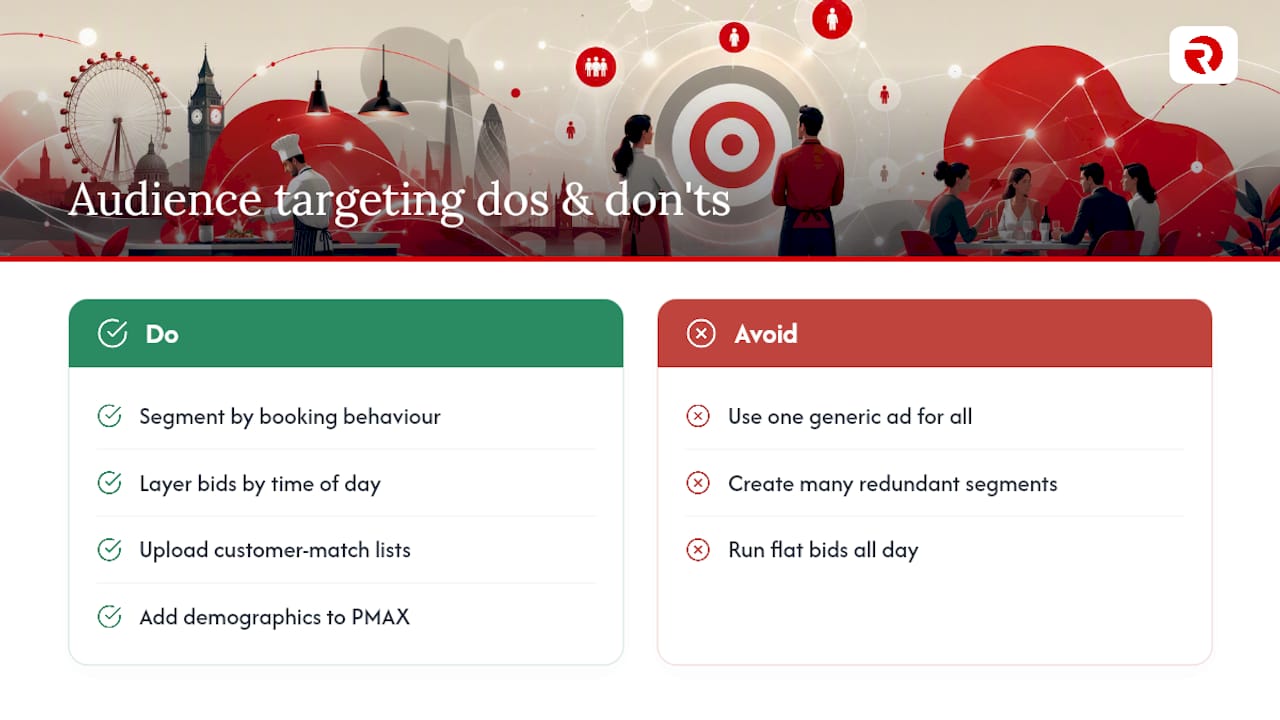
Build segments around actual customer behaviour: repeat diners who book weekly versus first-time visitors, lunch-crowd professionals versus weekend groups booking for celebrations, and delivery-only customers versus those who dine in. Google Ads lets you layer these personas onto both Search and Performance Max through audience signals, in-market segments, and your own customer match lists uploaded from your reservation or loyalty system.
A young professional searching “quick lunch near me” at 12:15pm wants speed and proximity messaging. A family searching “Sunday roast booking” on a Thursday evening wants reassurance about availability and atmosphere. Writing one generic ad for both audiences means neither message lands particularly well.
Use dayparting alongside these personas. If your lunch crowd converts at a different rate than your dinner crowd, adjust bids by time of day rather than running flat bids around the clock. Layering demographic signals (age range, household income where relevant to your price point) onto PMAX also helps the algorithm find people who resemble your actual paying customers, rather than anyone vaguely interested in food.
The goal isn’t more segments for their own sake. It’s fewer, sharper ones that map to genuinely different booking behaviours.
How do you benchmark against competing restaurants nearby?
Ignoring what competing restaurants are doing with their ads means flying blind in a market where diners compare three or four options before booking.
Start by searching your own high-intent keywords as a customer would, cuisine plus location, booking phrases, delivery terms, and note which restaurants show up consistently. Look at their ad copy: are they leading with price, atmosphere, or speed? Their positioning tells you where the local gap sits. If every competitor leads with price discounts, leading with atmosphere or a signature dish might cut through more effectively.
Google’s Auction Insights report, available directly inside your Ads account, shows how often your ads appear alongside specific competitors and who wins the impression share when you overlap. It’s a genuinely underused feature. Most restaurant owners check it once during setup and never again, missing shifts when a new competitor enters their keyword territory or an existing one increases spend aggressively.
Benchmarking isn’t about copying rivals. It’s about understanding where your local market’s expectations sit, then deciding whether to meet them or differentiate deliberately. A restaurant charging a premium shouldn’t compete on discount messaging just because three nearby venues do; it should lean harder into whatever justifies that premium.
How does remarketing bring back past visitors?
Most people who visit your website or view your menu online don’t book on that first visit. Remarketing exists precisely for that gap.
Set up a remarketing audience from your website visitors, people who viewed your menu page, started a booking but abandoned it, or browsed your delivery options without ordering. These visitors already know your restaurant exists and have shown intent, which makes them considerably cheaper to convert than cold traffic.
Run a dedicated remarketing campaign, or feed this audience as a signal into Performance Max, showing these past visitors a specific nudge: a limited-time offer, a reminder about a seasonal menu, or simply a “still thinking about booking?” message with a direct link to your reservation page. Keep the messaging distinct from your cold-audience ads. Someone who has already browsed your menu doesn’t need convincing that you exist; they need a reason to finish what they started.
Past diners deserve their own segment too. If your reservation or loyalty system captures customer emails, upload that list as a customer match audience and use it to promote new seasonal dishes or special events directly to people who have already eaten with you. This audience typically converts at a noticeably higher rate than cold prospecting, since you are re-engaging trust that already exists rather than building it from scratch.
How should seasonal and event promotions shape your ads?
Fixed, always-on campaigns miss the moments when demand for restaurant bookings spikes hardest.
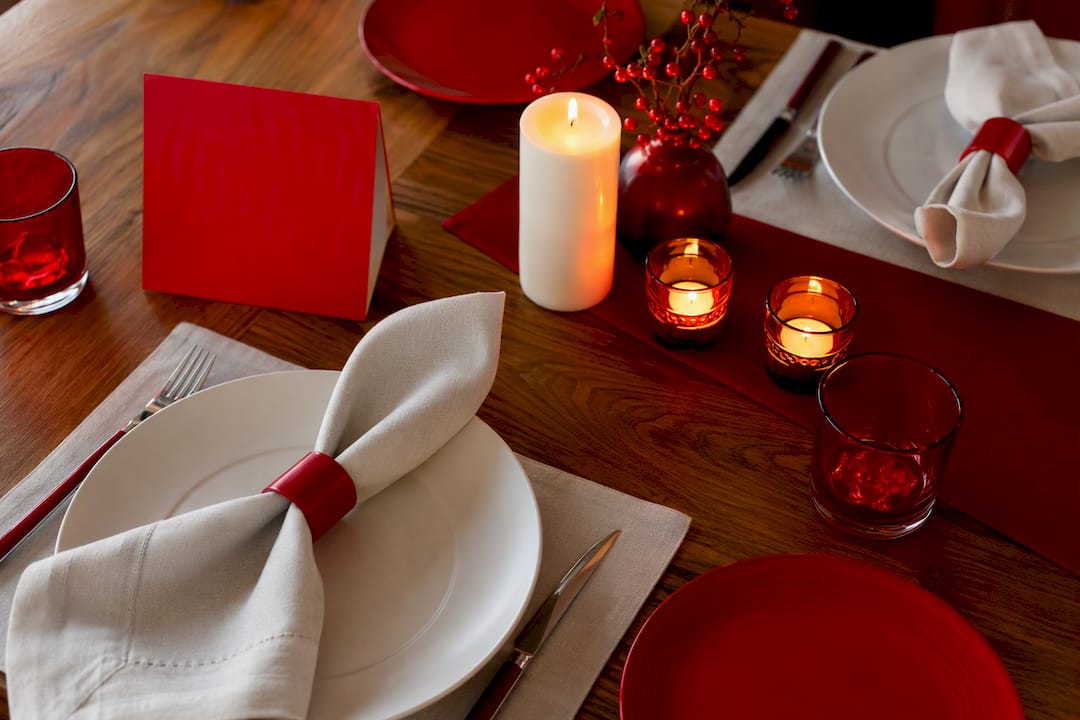
Build a simple seasonal calendar around the obvious peaks, Christmas set menus, Valentine’s Day, Mother’s Day, and local events near your venue, then create dedicated ad groups or short campaigns for each. Start these campaigns two to three weeks ahead of the date itself, since booking intent for occasion-based dining typically builds well before the actual event.
Update your Performance Max assets to reflect seasonal imagery and messaging rather than leaving generic year-round photos running through your highest-demand periods. A festive table setting or a Valentine’s-specific dish photo consistently outperforms a stock interior shot during these windows.
Adjust your keyword targeting too. “Christmas party booking” or “Valentine’s dinner reservation” searches spike sharply in the weeks leading up to each date, and missing that keyword shift means losing high-intent traffic to competitors who planned ahead. Once the event passes, pause these campaigns rather than letting them run stale, and archive the ad copy and assets for reuse next year rather than rebuilding from scratch.
Are there advertising rules specific to restaurants?
Food and drink advertising carries policy restrictions that generic retail ads don’t face, and falling foul of them can get your account flagged or ads disapproved.
Google’s advertising policies restrict certain claims around alcohol, particularly around promotional pricing, availability to under-18s, and geographic restrictions in some regions, so any ad mentioning alcohol needs review against current policy before it goes live. Health and nutrition claims also draw scrutiny; describing a dish as “healthy” or making specific dietary claims (low-calorie, keto-friendly) can trigger policy reviews if the claim isn’t substantiated on your linked landing page.
Image and video assets used in Performance Max campaigns need to accurately represent your actual food and venue, since Google’s policies around misleading representations apply here just as they would to any product advertiser. A stock photo bearing little resemblance to your actual dishes risks both policy issues and genuine customer disappointment.
Local delivery and pricing claims also need consistency between the ad and your landing page. If your ad promises “20-minute delivery” but your actual average is 40 minutes, that mismatch violates Google’s accurate representation requirements and damages trust regardless of policy enforcement.
Agency perspective: what actually moves the needle for restaurants
The restaurants that get the most from Google Ads aren’t the ones with the biggest budgets. They’re the ones that track bookings properly from week one and resist pausing campaigns during that noisy first month. Most underperformance we see traces back to broken conversion tracking or unrealistic timelines, not bad keyword choices.
Managed services earn their cost when an owner simply doesn’t have the weekly hours to review search terms, refresh creative, and interpret noisy early data correctly. That’s a genuine trade-off, not a sales line. For restaurants weighing that decision, our case studies show what disciplined, ongoing management actually looks like in practice.
— Bart
How Radkaadvertising builds restaurant Google Ads that fill tables
Radkaadvertising runs restaurant Google Ads as a managed service, handling campaign structure, conversion tracking, ad creative, and the weekly optimisation routine outlined above, so you get the accountability of an agency without needing an in-house PPC specialist on staff. The offering typically includes Search and Performance Max campaign setup, Google Business Profile integration, call and booking tracking configuration, and ongoing testing across headlines, extensions, and audience signals.
Two outcomes clients typically look for: a measurable cost per booking that improves month over month, and a steady flow of covers that doesn’t depend on constant manual firefighting. If you’d rather hand this over than manage it yourself, explore Radkaadvertising’s paid advertising services and request an audit of your current setup as the first step.
Sources
- A Comprehensive Guide to Google Ads for Restaurants
- Google Ads for Restaurants: A Practical UK Marketing Guide
- 62% of consumers discover restaurants on Google
FAQ
Is £10 a day enough for restaurant Google Ads?
It can sustain a narrow Search campaign in a low-competition area, but it rarely leaves enough room for Performance Max or meaningful testing. Most restaurants get more reliable data by starting with a slightly higher monthly minimum rather than stretching a very small daily budget across multiple campaigns.
How much does Google Ads pay per 1,000 views?
Google Ads doesn’t pay restaurants for views; that model applies to publishers earning from AdSense, not businesses running ads to attract customers. Restaurants pay per click (or per conversion with smart bidding), not per impression, so the relevant question is cost per booking, not cost per view.
Is £20 a day good for Google Ads for a restaurant?
£20 a day is a reasonable starting point for a single-location restaurant running a focused Search campaign with tight ad groups. It typically won’t stretch far enough to run Search and Performance Max simultaneously at full effectiveness until you increase spend after the initial learning period.
Is £500 a month enough for a restaurant Google Ads campaign?
A practical starting budget varies depending on your area’s cost per click and how many conversions you need each month before the algorithm can optimise reliably, especially in lower-competition local markets.
How long before restaurant Google Ads campaigns show results?
Expect the first month to be mostly data collection, with more reliable performance signals emerging from month two onwards and genuinely stable trends by month three. Judging a campaign on its first two weeks almost always leads to premature, incorrect conclusions.