Core Web Vitals 2026: the practical playbook that actually works

Core Web Vitals 2026 are LCP, INP and CLS. To pass, all three must sit in the “good” band at the 75th percentile: LCP ≤ 2.5s, INP ≤ 200ms, CLS ≤ 0.1. Miss any one of them across enough of your traffic, and Google’s tooling marks the whole URL group as failing, regardless of how the other two metrics look.
The immediate action is simple. Open Search Console or run PageSpeed Insights against a representative URL, and note precisely which metric or metrics fall outside “good”. That single check tells you where to spend the next hour of engineering time.
- LCP ≤ 2.5 seconds
- INP ≤ 200 milliseconds
- CLS ≤ 0.1
- All three must be “good” at the 75th percentile for a URL group to pass
Key Takeaways
Passing Core Web Vitals in 2026 requires all three metrics, LCP, INP and CLS, in the “good” band at the 75th percentile, verified through field data rather than lab scores.
| Point | Details |
|---|---|
| All three metrics must pass | LCP ≤ 2.5s, INP ≤ 200ms, and CLS ≤ 0.1 must all sit in the “good” band at the 75th percentile. |
| INP has replaced FID | Responsiveness is now measured across a full session’s worst interaction, not just the first input. |
| Field data decides pass or fail | Search Console and CrUX field percentiles determine status; Lighthouse is for diagnosis only. |
| CLS is the cheapest fix | Sizing media correctly and reserving ad space typically deliver fast, lasting gains. |
| Verification takes time | Field percentiles need days to weeks to stabilise after a fix ships. |
| Get expert help when stuck | Radkaadvertising’s SEO audits map failing metrics to root causes and deliver prioritised, actionable fix lists. |
Table of Contents
- Core Web Vitals 2026: metrics, thresholds and what “good” means
- What changed for Core Web Vitals in 2026
- Field data versus lab data: using the right tool for the job
- How to optimise Core Web Vitals: fixes mapped to root causes
- A short diagnostics checklist for chasing down failures
- Monitoring and verification: building a measurement cadence
- Why Core Web Vitals still catch experienced teams off guard
- Get your Core Web Vitals fixed without hiring an in-house dev team
- Sources
- FAQ
Core Web Vitals 2026: metrics, thresholds and what “good” means
Each metric tracks a different moment in the visitor’s experience, and Google grades all three on field data judged at the 75th percentile.
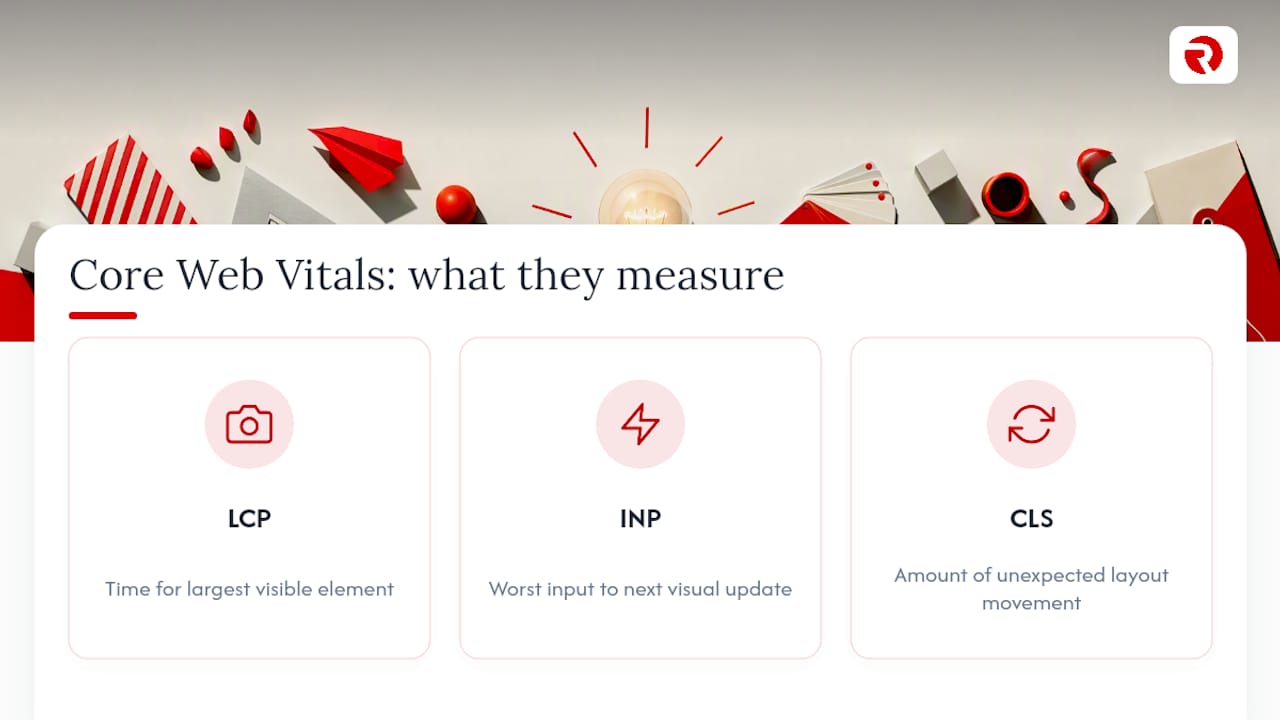
Largest Contentful Paint (LCP) measures how long the biggest visible element takes to render. That’s usually a hero image, a headline block, or a video poster frame. Interaction to Next Paint (INP) measures responsiveness by capturing the worst (or near-worst) delay between a click, tap, or keypress and the next visual update on screen. Cumulative Layout Shift (CLS) tracks how much content jumps around unexpectedly as the page loads.
The 75th-percentile rule means three out of four visits to a page must clear that bar. It’s not an average, and one blistering-fast desktop session cannot mask a slow, janky mobile experience for most of your real users. Google chose these cut-off points using CrUX field data so a meaningful share of origins could realistically hit “good” — they’re stretch targets, not arbitrary lines in the sand.
What changed for Core Web Vitals in 2026
The headline change isn’t new for 2026, but it’s now fully bedded in: INP officially replaced First Input Delay (FID) as the responsiveness metric back in March 2024, and every serious web.dev resource, dashboard, and reporting tool has caught up. If you’re still optimising for FID, you’re optimising for a metric Google stopped scoring you on some time ago.
Here’s why that timeline matters for how you work in 2026:
- FID only measured the delay before the first interaction started processing. It ignored everything after that.
- INP measures the full round trip, input delay, processing time, and rendering, across the worst interaction in a session (not just the first).
- Pages with heavy JavaScript execution, particularly from third-party scripts, tend to fail INP far more often than they ever failed FID.
No thresholds have shifted for 2026: the same 2.5s, 200ms, and 0.1 figures still apply. What has changed is emphasis. Because INP punishes accumulated main-thread congestion rather than a single slow start, reducing long tasks and trimming third-party script weight now carries more weight in your optimisation priorities than it did under the FID regime.
Field data versus lab data: using the right tool for the job
Confusing these two data types wastes more engineering hours than any other Core Web Vitals mistake. Field data is what decides whether you pass. Search Console and CrUX aggregate real visits from actual devices, networks, and browsing conditions, and Google’s ranking systems read those numbers, not your Lighthouse score.
Lab data, from Lighthouse or Chrome DevTools, is diagnostic. It runs a single simulated session under fixed conditions, which makes it brilliant for reproducing a bug but useless as proof you’ve fixed it for real users.
A workflow that keeps you honest looks like this:
- Triage in the field. Use Search Console to find which URL groups and which metrics are failing at the 75th percentile.
- Reproduce in the lab. Run Lighthouse or DevTools traces on the affected page to pinpoint the exact bottleneck.
- Implement a targeted fix. Address the specific cause, not a generic “make it faster” pass.
- Recheck the field. Wait for CrUX to refresh and confirm the percentile actually moved.
Pro Tip: A common trap is chasing a perfect Lighthouse score while Search Console barely budges. Treat lab runs as a microscope, not a scoreboard.
How to optimise Core Web Vitals: fixes mapped to root causes
Most Core Web Vitals failures trace back to a small set of recurring causes: heavy JavaScript, unsized media, and sluggish servers. Here’s how to attack each metric.
Fixing LCP usually starts at the server. A slow Time to First Byte delays everything downstream, so tuning server response times, using a content delivery network, and enabling caching all pay off early. From there:
- Inline or preload critical CSS so the browser doesn’t wait on external stylesheets to paint above-the-fold content.
- Set
font-display: swap(or similar) so text doesn’t sit invisible while custom fonts load. - Preload the actual LCP element, whether that’s a hero image or a poster frame, with
<link rel="preload">. - Serve responsive images in modern formats like WebP or AVIF, sized correctly for the viewport.
- Strip out render-blocking CSS and JavaScript that delays the first meaningful paint.
Fixing INP means breaking up whatever is hogging the main thread. Long JavaScript tasks are the usual culprit, and pages loaded with third-party scripts fail INP disproportionately often compared with LCP or CLS.
- Break long tasks into smaller chunks so the browser can respond to input between them.
- Defer or lazy-load scripts that aren’t needed for the initial interaction.
- Use
requestIdleCallbackfor low-priority work, and offload heavy computation to web workers where it makes sense. - Audit third-party tags (analytics, chat widgets, ad tech) ruthlessly. Every one adds risk.
- Simplify event handlers so they do less work synchronously.
Fixing CLS is often the cheapest win on this list, since it’s frequently a discipline problem rather than an architecture one.
- Always set explicit width and height, or a CSS
aspect-ratio, on images, videos, and iframes. - Reserve space for ads and embeds before they load, rather than letting them push content down.
- Avoid injecting banners, cookie notices, or promotional content above existing content after the initial render.
- Prefer CSS
transformfor animations instead of properties that trigger layout recalculation.
Pro Tip: If you can only fix one thing this week, fix CLS. Sizing your media correctly usually takes an afternoon and the gains tend to stick, since layout shift bugs rarely creep back in once they’re properly resolved.
A short diagnostics checklist for chasing down failures
Work through this in order. It’s built to surface the highest-impact problems before you touch anything structural.
- Open Search Console and confirm exactly which metric (or metrics) is failing at the 75th percentile, and for which URL group.
- Run a PageSpeed Insights field report on two or three representative URLs and record the actual LCP, INP, and CLS figures.
- Open Chrome DevTools, go to the Performance panel, and look at Long Tasks to spot main-thread bottlenecks behind an INP failure.
- Scan the page for unsized media, injected banners, or late-loading embeds if CLS is the culprit; check server response timing if LCP is slow.
- Prioritise the cheap wins first, image sizing, hero image preloading, deferring non-critical scripts, before committing to bigger architectural changes.
Common quick checks worth running alongside the above:
- Is a third-party script blocking the main thread longer than 50 milliseconds at a time?
- Are ad slots and embeds reserving space before they load?
- Is the server responding in under 200 milliseconds for the initial HTML document?
Monitoring and verification: building a measurement cadence
Search Console gives you URL-group status and trend lines over time; PageSpeed Insights pulls the same CrUX field data at the origin level for a quicker spot-check. Lighthouse and DevTools stay in reserve for reproducing and debugging, never for declaring victory.
For anything beyond ad-hoc checks, install the web-vitals JavaScript library so you’re collecting your own field telemetry using the exact same measurement logic Google applies, rather than waiting on CrUX sampling alone.
- Search Console: URL-group pass/fail status and historical trend
- PageSpeed Insights: origin-level CrUX snapshot, useful for quick checks
- Lighthouse/DevTools: reproducible traces for debugging, not verification
- web-vitals JS library: your own real-user telemetry, matched to Google’s methodology
Field percentiles don’t update instantly. Give a fix days to weeks before judging whether it worked, and schedule your verification checks accordingly rather than panicking after 24 hours.
Why Core Web Vitals still catch experienced teams off guard
Most sites that fail Core Web Vitals aren’t badly built. They’re built by teams who optimised for the metric that used to matter (FID) or the tool that’s easiest to check obsessively (Lighthouse), and never quite caught up with where the goalposts actually sit now.

The pattern I see most often: a development team ships a redesign, runs it through Lighthouse, sees a 95 score, and calls it done. Three months later, Search Console still shows the URL group failing INP. Nobody checked whether the third-party chat widget or the marketing pixel bolted on afterwards was quietly eating 300 milliseconds of main-thread time on every click. Lab tools don’t catch that kind of drift because they run in isolation, without the accumulated script weight a real production page carries.
Delivering Core Web Vitals improvements for commercial sites tends to come down to discipline rather than cleverness: audit the field data honestly, fix the boring things first (image sizing, script deferral, server tuning), and resist the urge to declare victory before CrUX confirms it. A typical engagement runs an audit, a prioritised fix list ranked by effort versus impact, and then a monitoring window to confirm the percentile actually moved, not just the lab score.
Get your Core Web Vitals fixed without hiring an in-house dev team
Chasing long tasks through DevTools traces or arguing with a developer about font-display values isn’t where most marketing teams want to spend their week. Radkaadvertising takes that off your plate entirely: full SEO audits that map every failing metric back to its actual root cause, then prioritised fixes delivered as part of a wider web development and digital marketing engagement, not a one-off report you’re left to interpret alone.
That’s the real difference versus wrestling with the diagnostics yourself. You get a team that already knows which third-party scripts tend to wreck INP scores and which server configurations quietly sabotage LCP, backed by case studies across industries from FMCG to energy. If your Search Console report is showing red across the board, book an audit with Radkaadvertising and get a prioritised fix list within days, not months.
Sources
- Understanding Core Web Vitals and Google search results
FAQ
What are the Core Web Vitals thresholds for 2026?
LCP must be ≤ 2.5 seconds, INP must be ≤ 200 milliseconds, and CLS must be ≤ 0.1, each measured at the 75th percentile of real-user field data.
Did INP replace FID?
Yes. INP became the official responsiveness metric in March 2024, replacing First Input Delay, because it measures the worst interaction delay across an entire session rather than just the first input.
How long does it take to see Core Web Vitals improve after a fix?
Field data typically needs days to weeks to stabilise after you deploy a fix, so verification checks should be scheduled with that delay in mind rather than checked the next morning.
Which Core Web Vitals metric is hardest to pass?
INP tends to be the hardest for JavaScript-heavy sites, since it captures near-worst interaction delays and is especially sensitive to third-party scripts clogging the main thread.
Should I trust my Lighthouse score over Search Console?
No. Lighthouse runs a single simulated session and is useful for diagnosing a specific problem, but Search Console’s field data from real visitors determines whether a URL group actually passes.